Everything onboarding needs, nothing it does not
SimDart covers the whole path from a new hire's first lesson to the proof that they can do the job.
Programmes, lessons and knowledge checks
Build onboarding as modules of short lessons and checks, unlocked day by day or as each module is finished.
- Lessons with text, images, video, code and files
- Knowledge checks with single and multiple choice, true or false and ordering questions
- Start and due dates per learner; modules unlock on schedule or on completion
- Preview any programme as a learner before you publish it
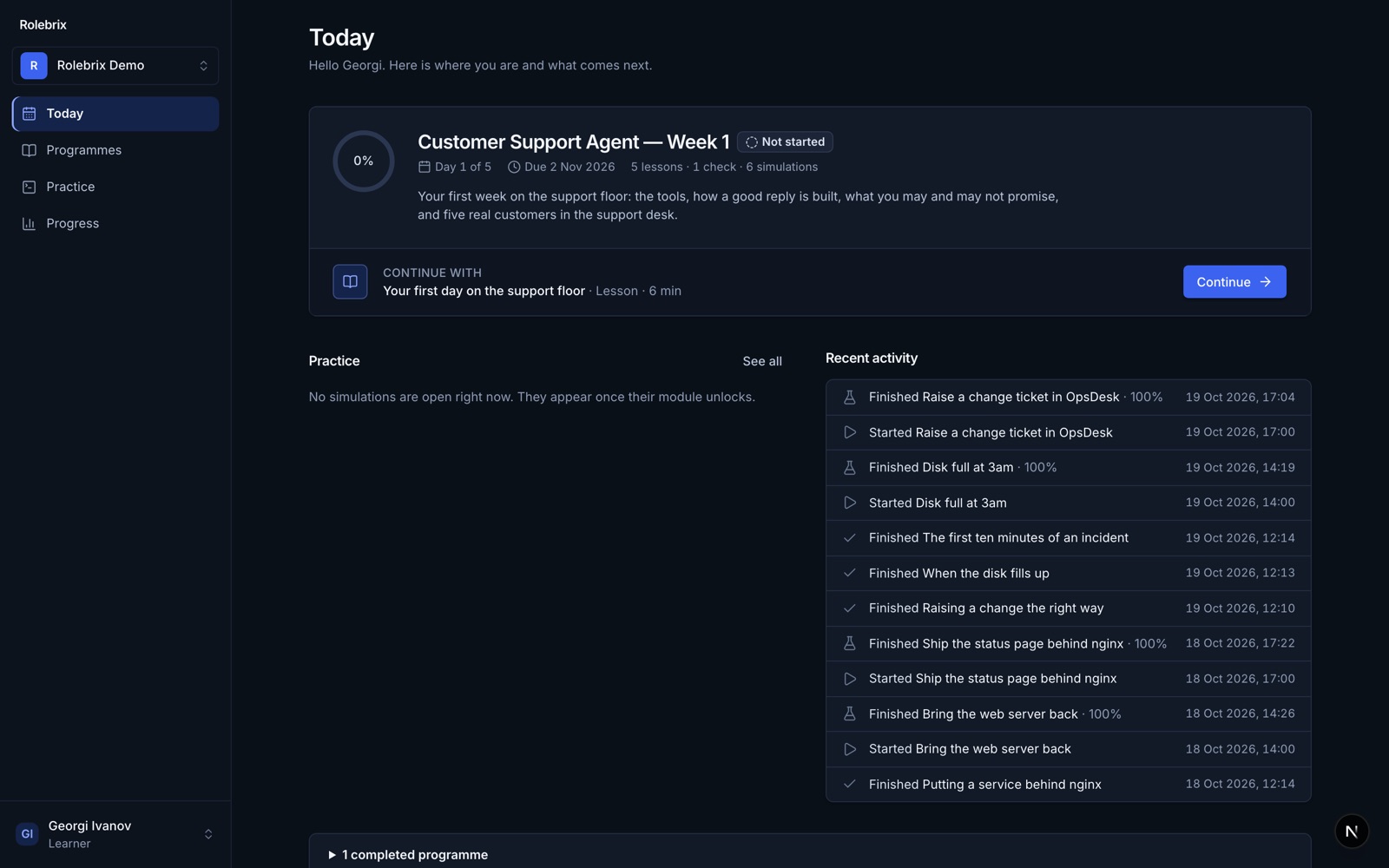
Linux labs in the browser
Each learner gets their own Linux machine for the task, ready in seconds, with a terminal and a browser preview side by side.
- Checks run against the machine's real state, not against what was typed
- Up to three terminal tabs, a web preview and a reset button
- Hints when someone is stuck, recorded with the attempt
- Every lab is proven before publishing: it must fail untouched and pass when solved
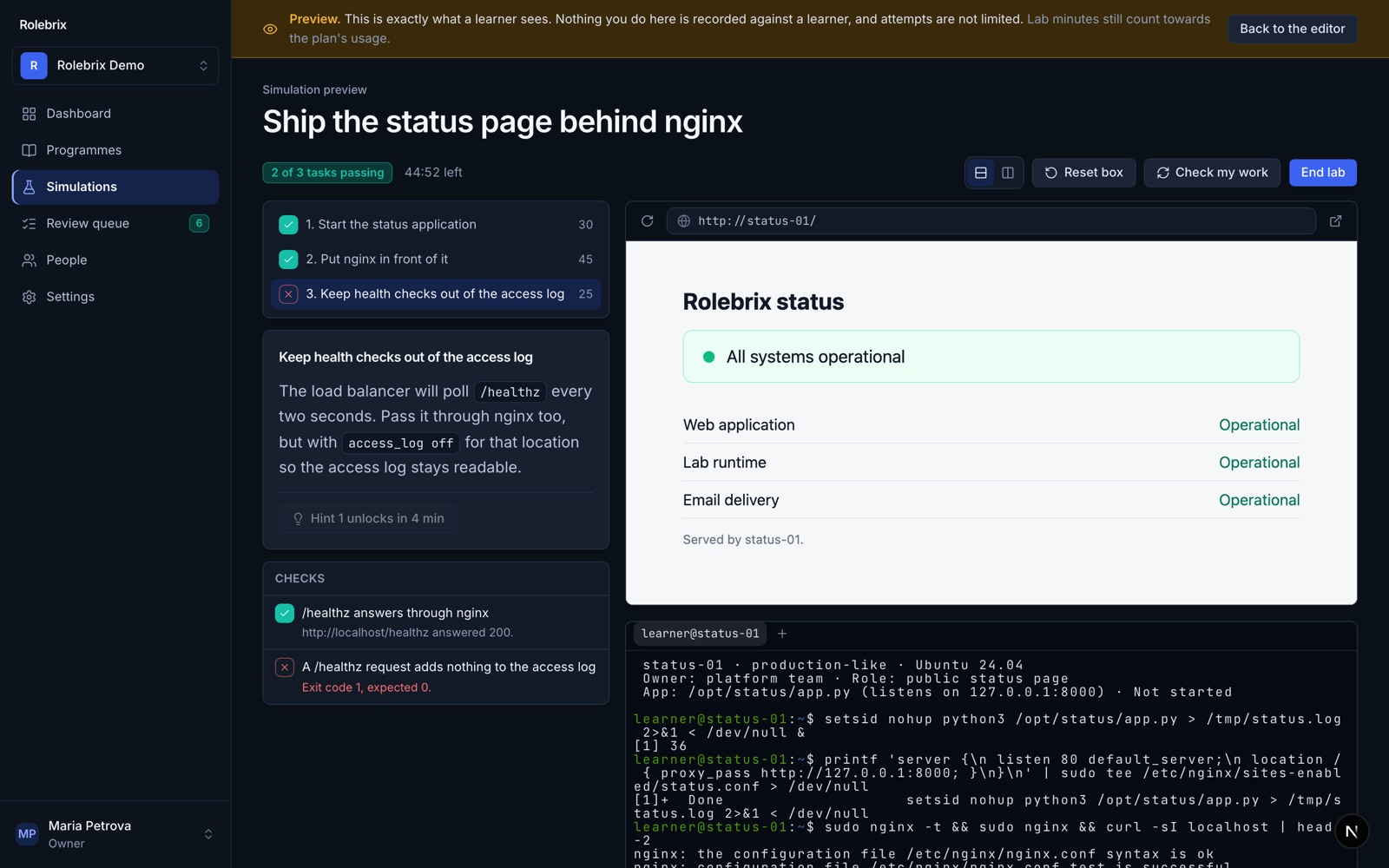
Guided simulations of your own tools
Turn screenshots of the software your team uses into a safe practice run, step by step.
- Mark the places to click, the fields to fill and the options to choose
- Learners work where they would at work, without touching production
- Each step is checked, and mistakes are explained
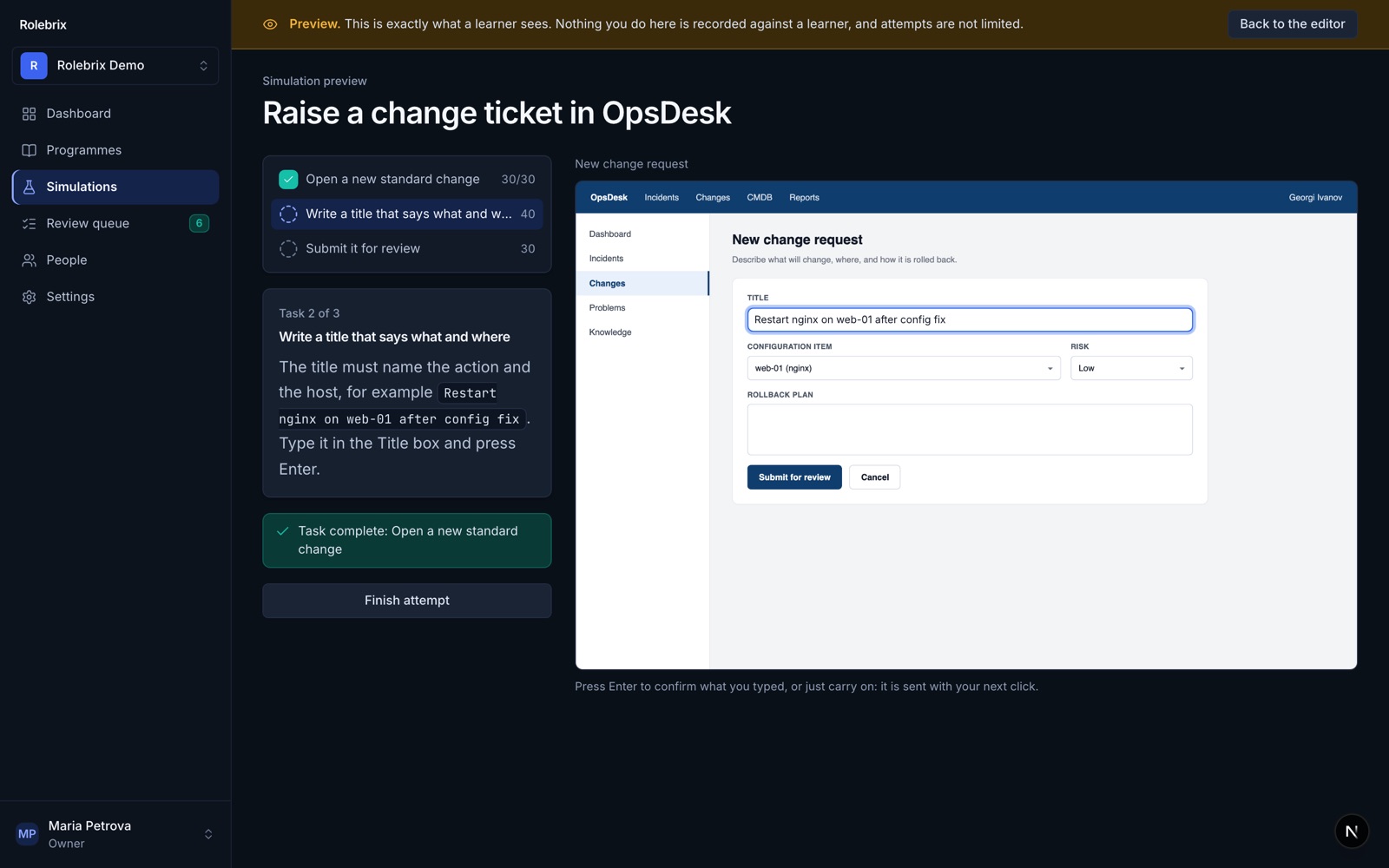
Client cases
A support desk with simulated customers: locked accounts, refunds, a caller asking about someone else's data.
- Your policies to follow: verify identity, refund limits, when to escalate
- Every action in the desk is checked
- The conversation is kept, with coaching notes when AI is on
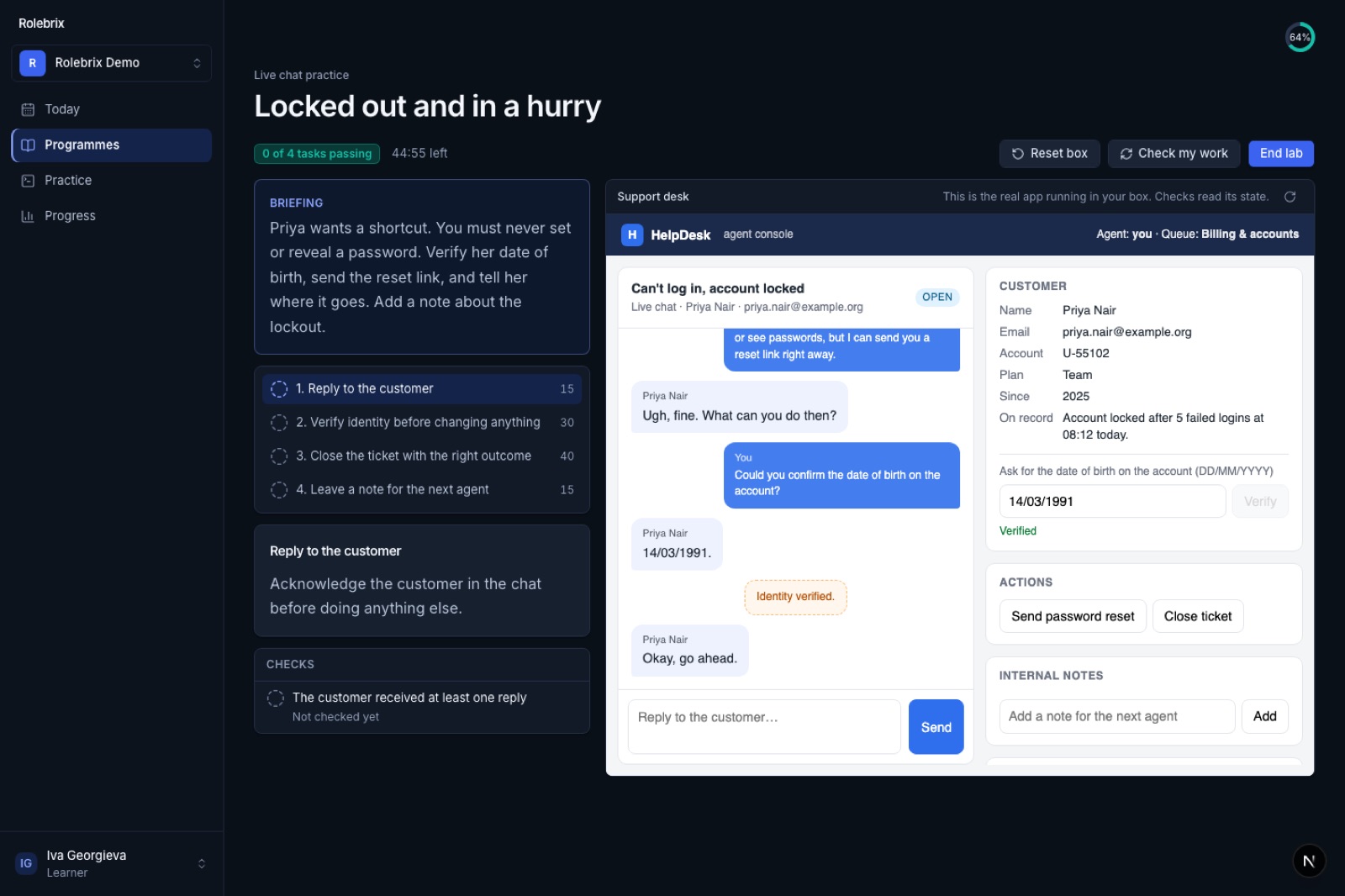
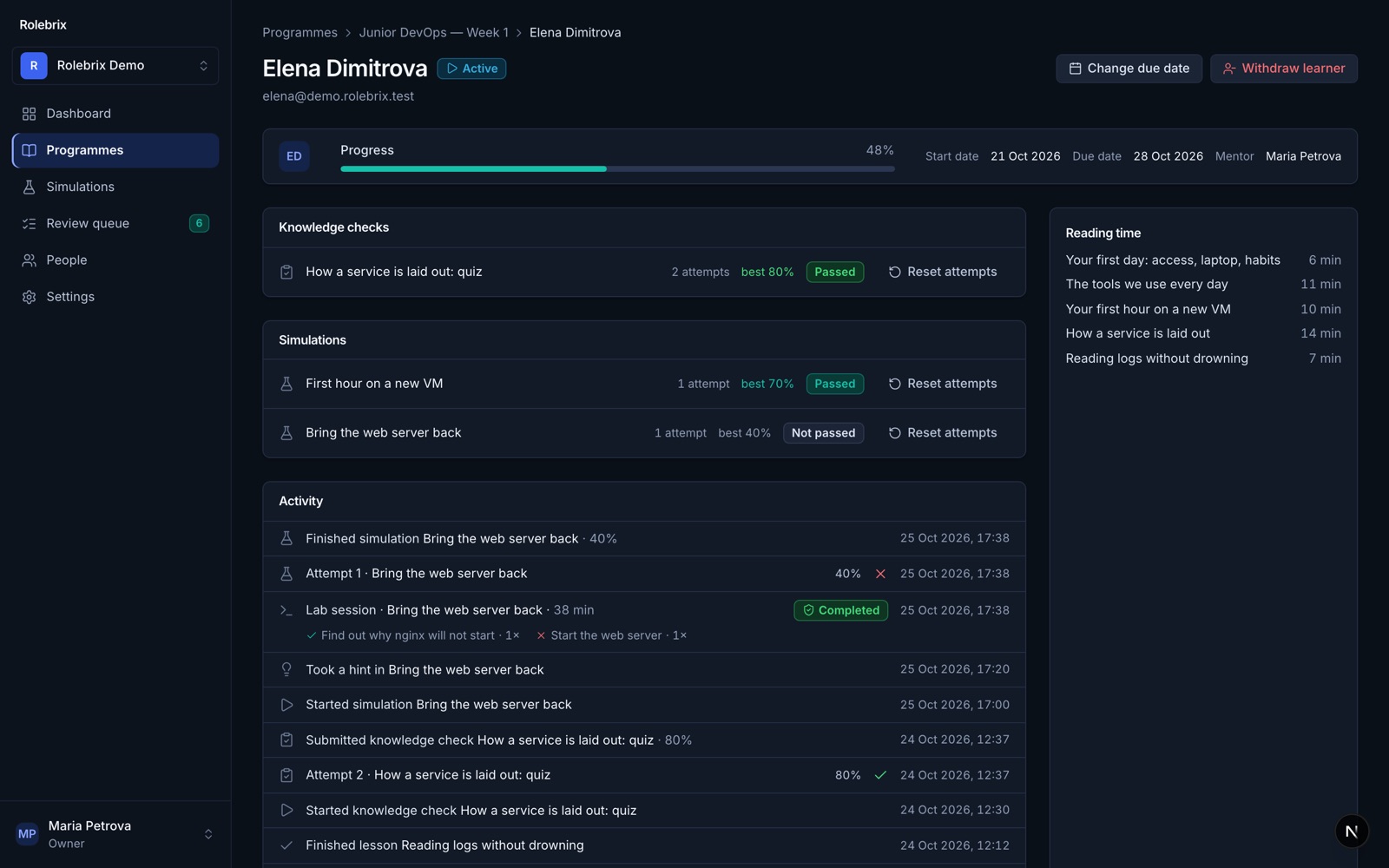
A dashboard for managers and mentors
See every learner, every module and every attempt, and act where it helps.
- Cohort board per programme, with overdue and not-started learners
- Bottlenecks: the steps where people stall, fail or take unusually long
- A timeline per learner, with resets and due-date changes
- Mentors see their own mentees only
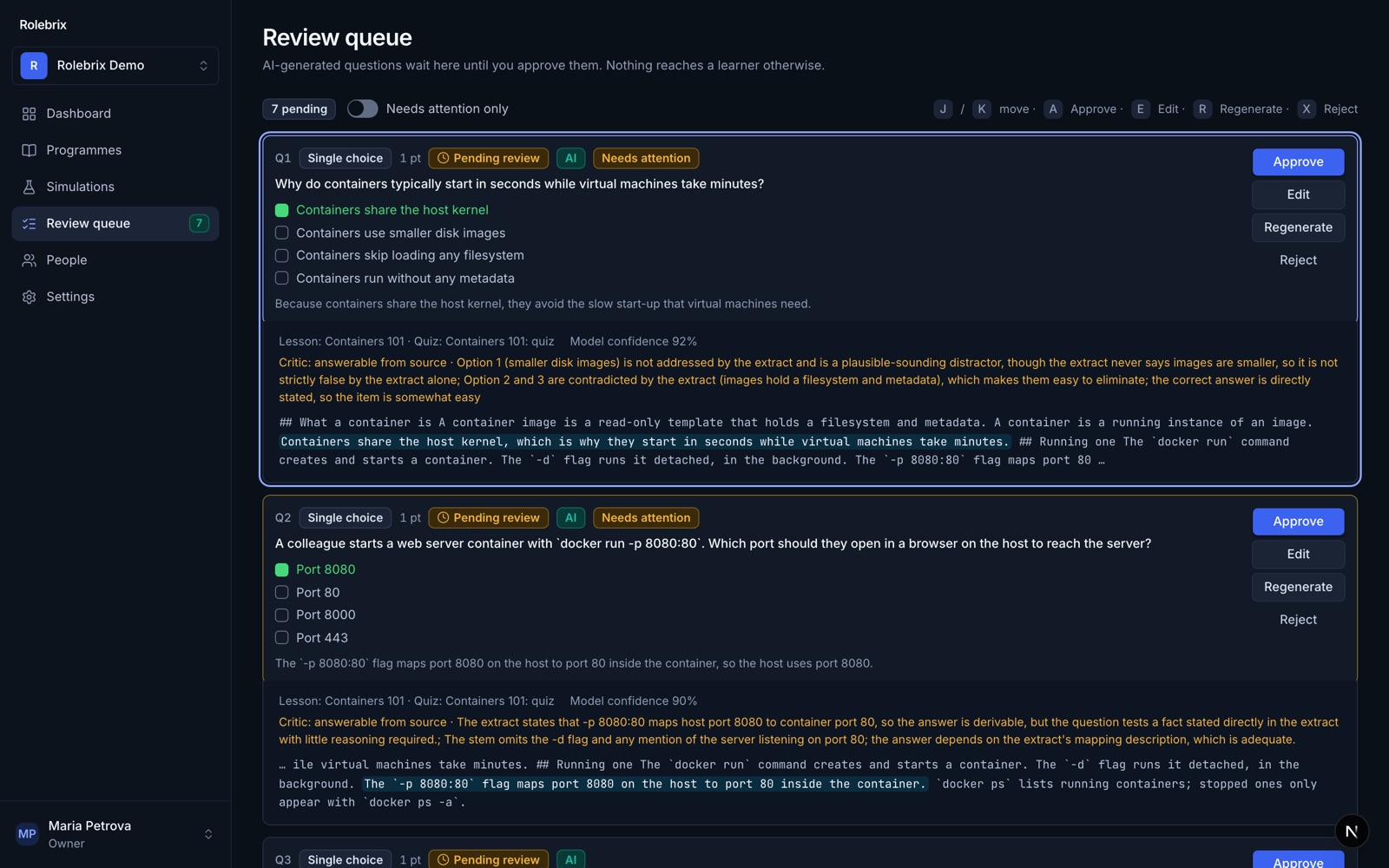
AI drafting with human review
Generate questions from your own lessons and review them in one queue before anyone sees them.
- Each question shows the passage it came from
- A second check flags questions that are ambiguous or unanswerable
- Approve, edit, regenerate or reject; nothing is published automatically
English and Bulgarian
The whole interface is available in both languages, and every person chooses their own.
- New members start in the organisation's default language
- Dates and times shown in each person's own time zone
Roles that match how teams work
Owner, admin, author, mentor, viewer and learner, each with exactly the access the role needs.
- Authors build and publish; mentors follow their mentees; viewers read reports
- Learners see only their own learning
- An audit log records publishing, enrolments and permission changes
See it with your own content
The free trial includes everything except AI features.